Unaric Voice
Quick Connects are a way for you to create a list of destinations for common transfers. For example, you might create a Quick Connect for Tier 2 support. If agents in Tier 1 support can't solve the issue, they will transfer the contact to Tier 2.
Types of quick connects
The type of a quick connect specifies the destination. You can specify one of the following destinations.
•External quick connect
Contacts are transferred to an external number (such as an on-call pager)
•Agent quick connect
Contacts are transferred to a specific agent as part of a contact flow
•Queue quick connect
Contacts are transferred to a queue as part of a contact flow
Create quick connects in Amazon Connect
To create a quick connect
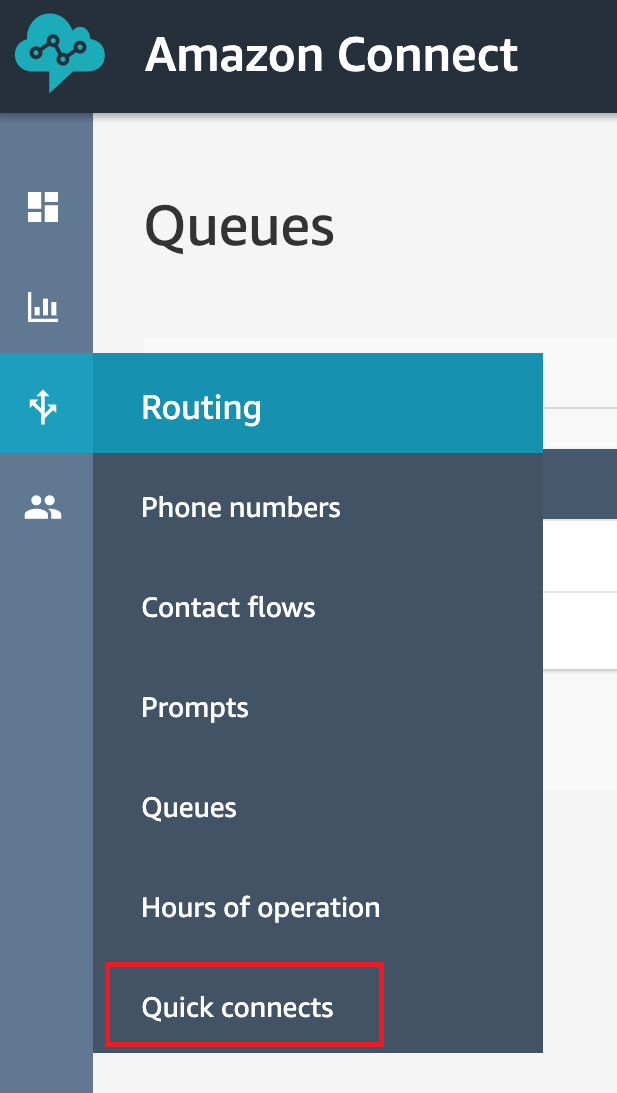
•Choose Routing, Quick connects, Add a new destination
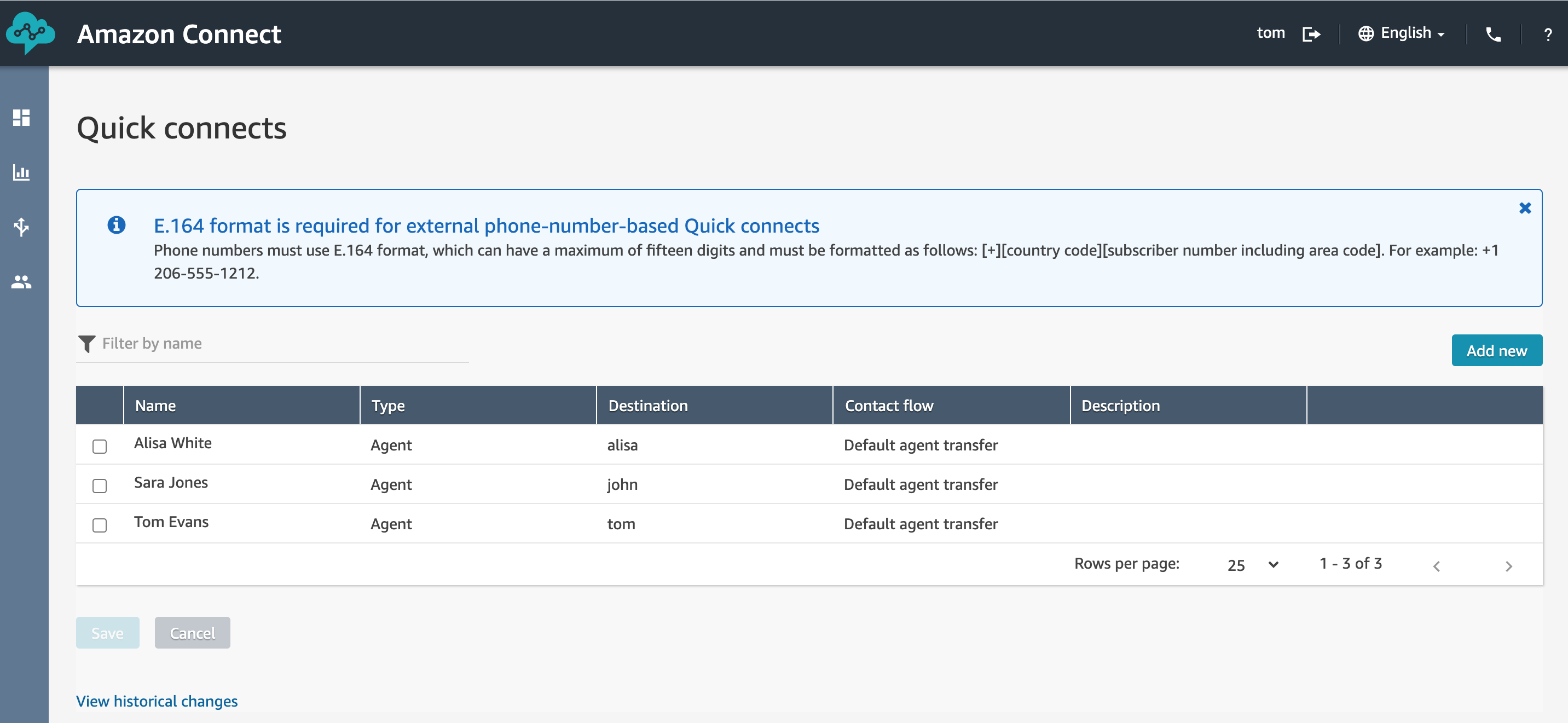
•Enter a name for the connect. Choose the type, and then specify the destination (such as a phone number or the name of an agent), contact flow (if applicable), and description
•To add more quick connects, choose Add new
•Choose Save
Enable agents to see Quick Connects in Amazon Connect
After creating a Quick Connect, you need to enable it per agent so that he gets a list of all Quick Connects in the Unaric Voice SoftPhone when he transfers a contact.
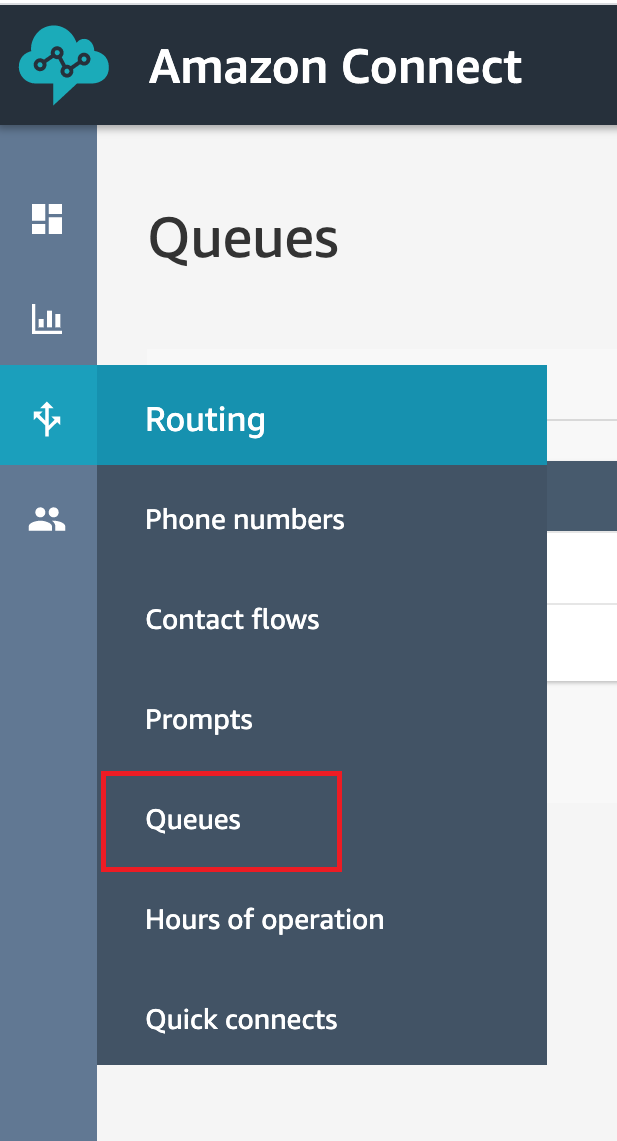
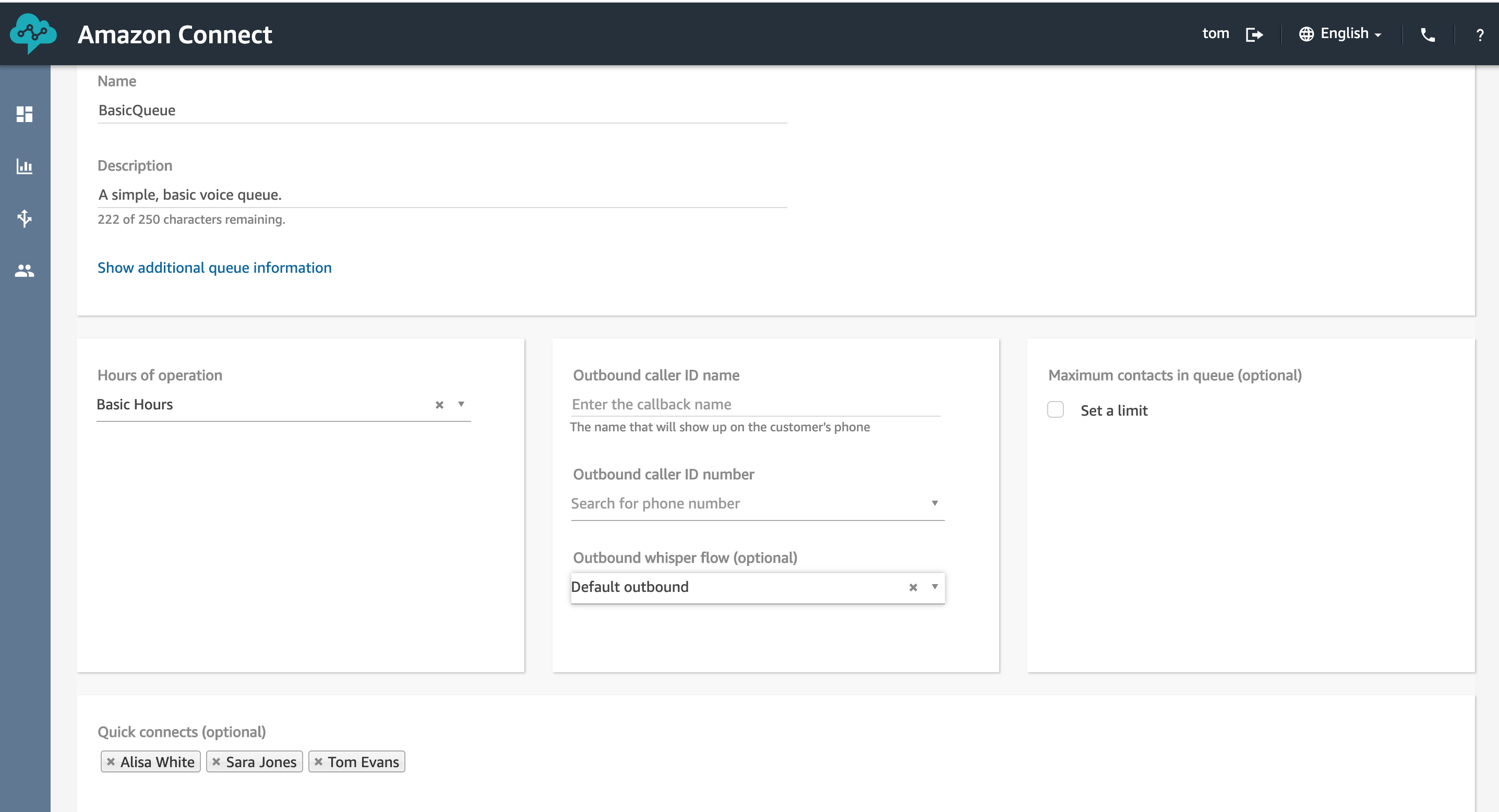
•After you created the quick connect, go to Routing, Queues and then choose the appropriate queue for the contact to be routed to
•On the Edit queue page, in the Quick connect box, search for the Quick Connect you created
•Select the quick connect and then choose Save.
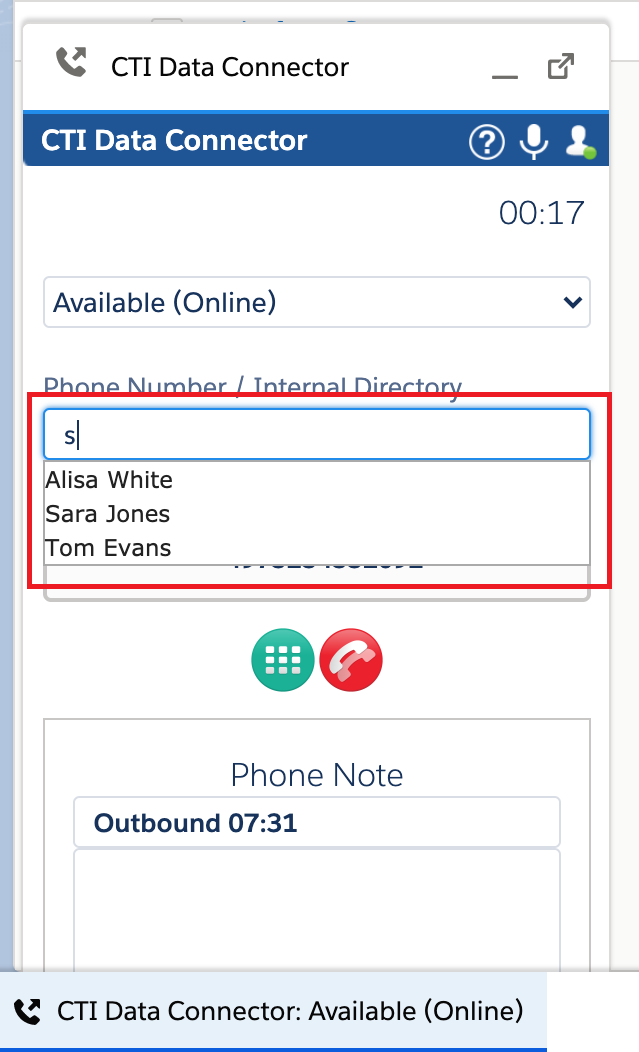
Once the Quick Connects are configured in Amazon Connect an you make a call in the Unaric Voice SoftPhone , you can transfer the call to the configured Quick Connects.