Unaric Voice
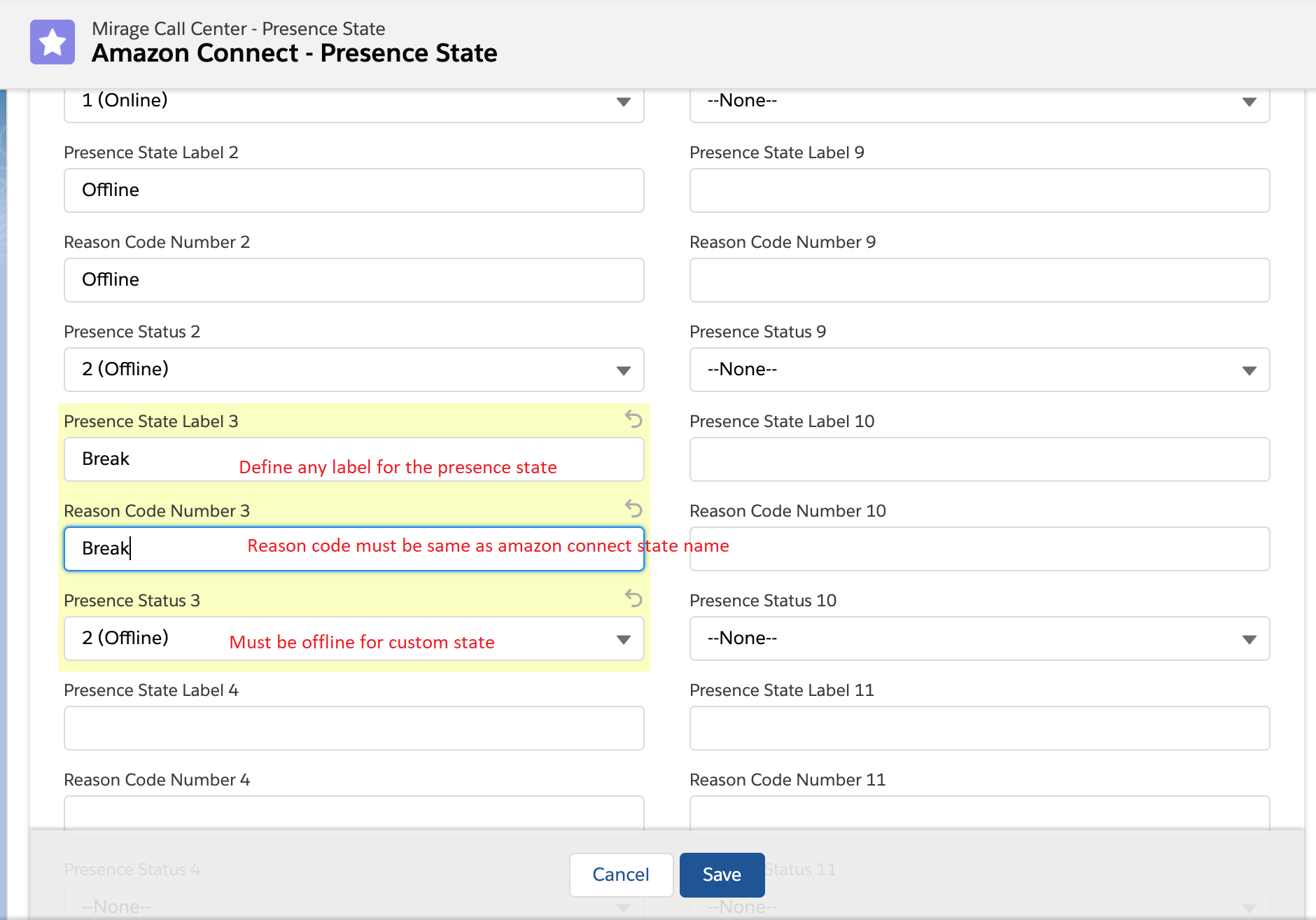
To add new custom presence state, the status must be added in Amazon Connect and in Unaric Voice - Presence State configuration.
Amazon Connect provides two default status values:
•Available
•Offline
You can change the name of these values, and you can add new ones.
For example, you might add a status for Lunch, and another for Training.
When you add a new status, it will always be custom and not routable.
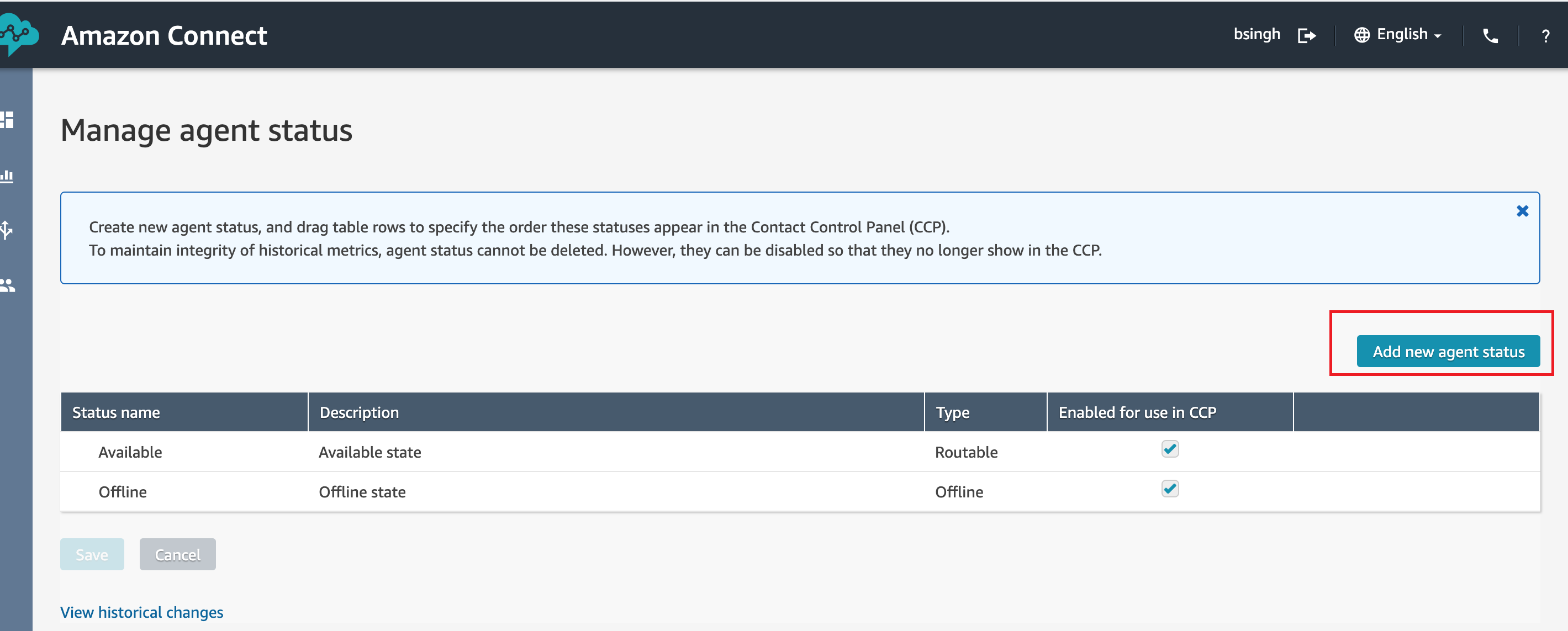
To add a new agent status
•Log in to the Amazon Connect console with an Admin account, or an account assigned to a security profile that has permissions to create users
•Choose Users, Agent status, Add new agent status
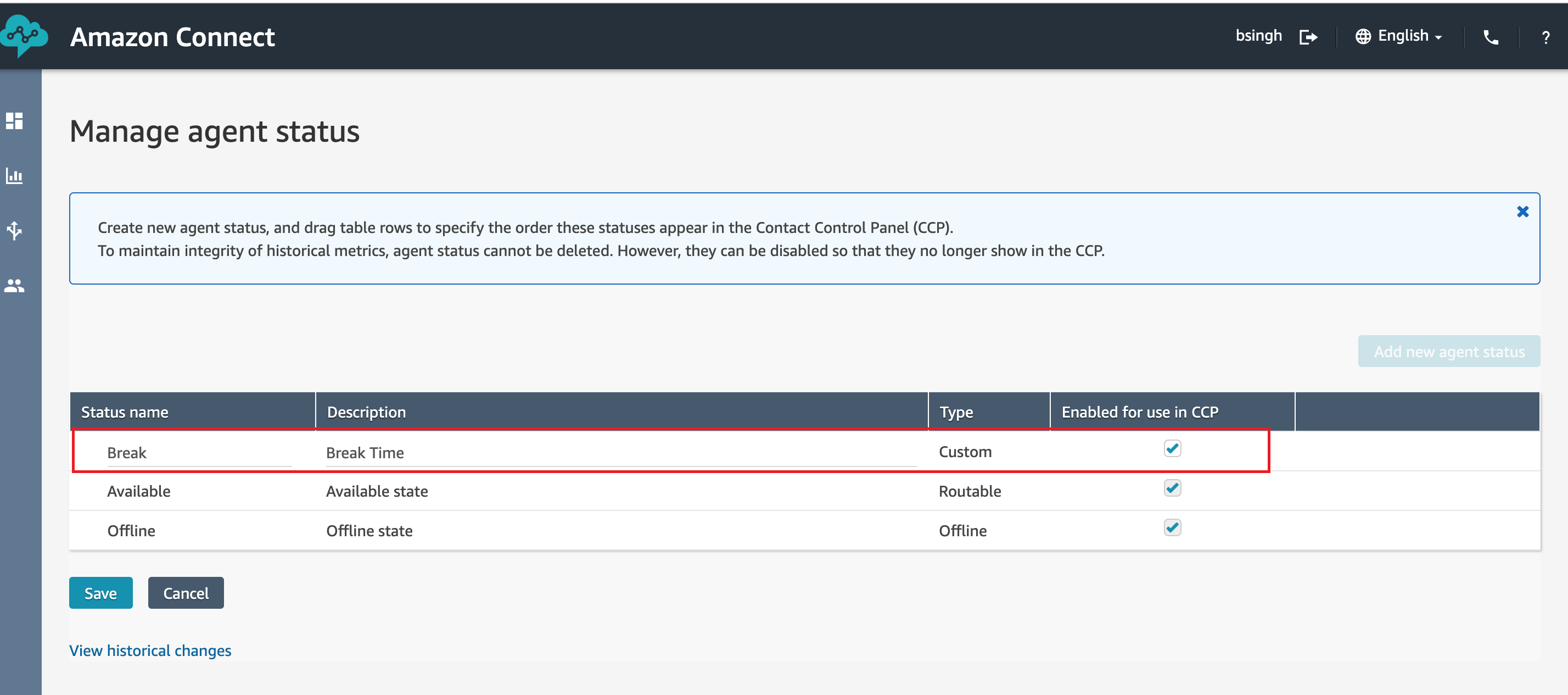
•Enter a status name and description, and select whether the status should appear in the CCP to the agent.
•To use the custom status in the Unaric Voice , Enabled for use in CCP check box must be checked.
•Choose Save
To edit a status
•Choose Users, Agent status
•Hover over the status name and choose the edit icon
•Enter the new information, and choose Save to apply the changes
Add custom presence state in Unaric Voice
•Open Presence State configuration object
•Click on edit to add new custom presence state
•Click on Save to save the new presence state