|
|


Define Delivery Details - Keygenerator |

|

|

|

|
||
Define Delivery Details - Keygenerator |
|
|
|

|

|
|
|
Define Delivery Details - Keygenerator |
|
|
|
|
||
Define Delivery Details - Keygenerator |
|
|
|
|
|
|
|
||
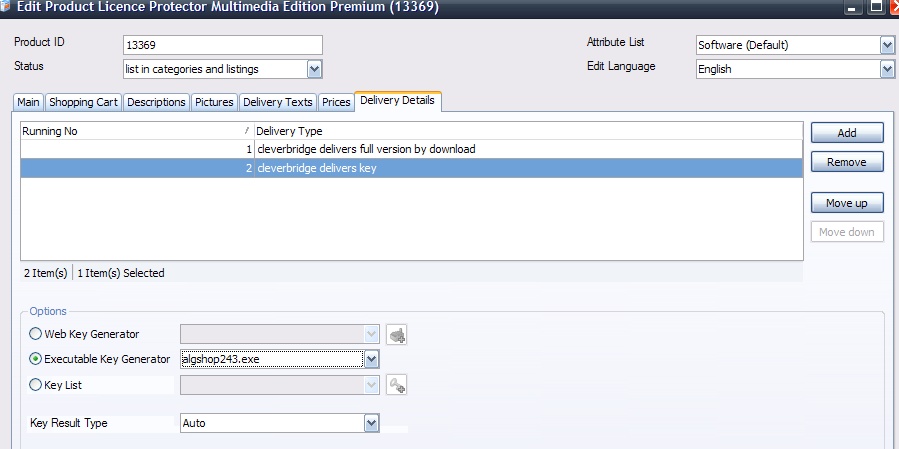
Start the cleverbridge Commerce Assistant and edit a product. In the TAB Delivery Details you specify the Licence Generator, which the shop System invokes after the order process. See - Send files to Cleverbridge - how to upload the necessary files.
Press the button Add and select Cleverbridge delivers key. Then select Executable Key Generator and select the latest Licence Generator. By default it has the name algshopxy.exe where xy is the version number - e.g. algshop25.exe.
|
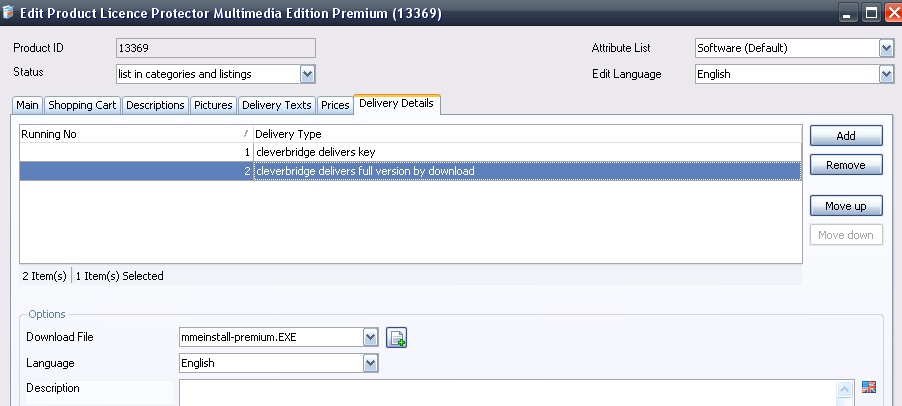
Next step is to add your download package.
Press the button Add and select Cleverbridge delivers full version by download. Then select Download File and select your uploaded project file in the drop down list.
|